Zoho vs Salesforce vs Custom CRM: The Honest Comparison Nobody Gives You
Zoho vs Salesforce vs Custom CRM: The Honest Comparison Nobody Gives You
Most CRM comparisons read like they were written by the vendors themselves. Salesforce is "powerful," Zoho is "affordable," and a custom build is "flexible." None of that helps when you're about to sign a contract or hand a development team a budget.
So let's talk about what actually matters: what you'll really pay, what tends to go wrong around month four, and which choice you'll still be glad you made in year three. I'm not selling any of these, so you'll get the awkward parts too.
The quick version
If you're short on time, here's where each one lands:
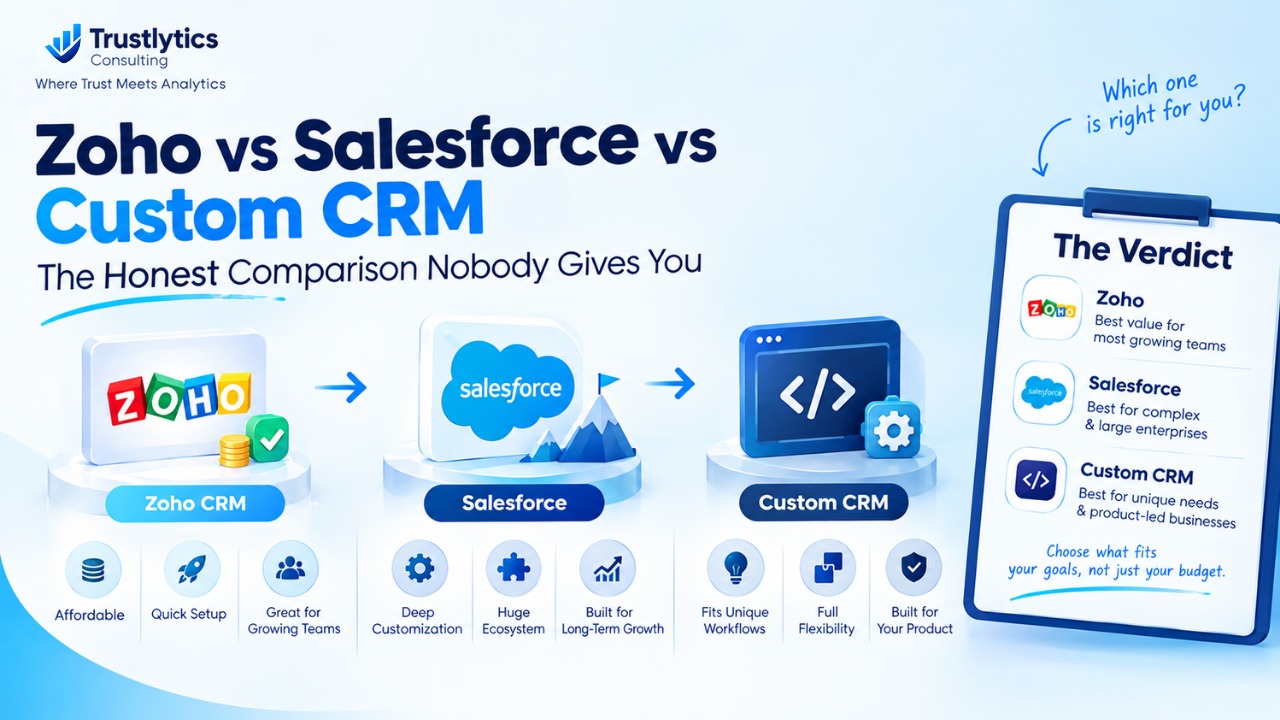
● Zoho CRM suits small and mid-sized teams that want a solid system at a fair price and don't have a wildly unusual sales process.
● Salesforce suits bigger teams with complicated sales cycles, real budget, and someone who can run the platform full time.
● A custom CRM suits businesses whose workflow genuinely doesn't fit any off-the-shelf tool, or whose CRM is part of the product they sell.
The rest of this post explains why, because the reasoning matters more than the verdict.
Zoho CRM: the sensible first "real" CRM
Zoho is where a lot of growing businesses end up after outgrowing spreadsheets, and honestly, it's rarely a bad decision.
The pricing is the first thing that gets attention. There's a free plan for up to three users, and paid plans run from roughly $14 to $52 per user per month on annual billing. Even the top tier costs less than the mid-range plans at most competitors. For a team that just wants to stop losing leads in email threads, that's a very easy budget conversation.
What you get is the full basics done properly: contact and lead management, pipeline tracking, email integration, workflow automation, dashboards, and Blueprint, a visual tool for mapping your deal stages, available from the Professional plan upward. There's also Zia, Zoho's AI assistant, which helps with predictions and suggestions. The bigger advantage is the wider Zoho family. If you already use Zoho Books, Desk, Campaigns or Projects, everything talks to everything else under one login and one invoice.
What works well:
● Setup takes days or a couple of weeks, not months.
● The low entry price makes a CRM switch easy to approve.
● It fits teams of roughly 5 to 100 people with a fairly standard pipeline.
● It's a natural pick if you're already inside the Zoho ecosystem.
What can annoy you:
● Heavy customization hits a ceiling. If your deals branch in five different directions depending on the customer, you'll feel it.
● The app marketplace is smaller than Salesforce's AppExchange.
● The interface gets crowded once you switch on several modules.
● Some features you'll want live in higher tiers, so the plan you first pick might not be the plan you end up needing.
My advice is simple. Use the 30-day free trial with your actual pipeline, not the sample data. Pay special attention to workflow automation, because that's where the differences between plans show up fastest.
Salesforce: brilliant, and easy to overspend on
Salesforce earned its position at the top. It can model almost any sales process you can describe, and it scales further than you'll ever need. It's also the platform where the gap between the price on the website and the price you eventually pay is the widest.
Sales Cloud pricing starts around $25 per user per month for the Starter Suite, moves to roughly $100 for Pro Suite, and sits around $175 for Enterprise. Enterprise is the edition most mid-sized companies end up needing, since it includes API access and the advanced automation that serious integrations depend on. Unlimited and the AI-focused Agentforce editions cost a lot more. Contracts are mostly annual, and list prices have crept up over the last couple of years.
The license, though, is only the opening bid. Sales engagement tools, conversation intelligence, CPQ and premium support are usually priced as add-ons. Then come implementation, integrations, training, and often a full-time Salesforce admin. Plenty of companies discover that their real spend is two or three times what the pricing page suggested. That's not a scam. It's just how a platform this configurable works.
Where it earns its price:
● Deep customization for complex, multi-stage sales processes.
● The AppExchange, with thousands of integrations and add-on apps.
● Serious forecasting, territory management, permissions and reporting.
● A huge pool of consultants, admins and developers you can hire.
● Room to grow. You're unlikely to outgrow it.
Where it hurts:
● Cost, both the obvious kind and the hidden kind.
● Without a capable admin, it slowly turns into a cluttered system nobody trusts.
● Implementation typically takes months.
● Renewals and annual increases need careful negotiation.
If you have a 10-person team and a simple pipeline, Salesforce is like buying a cargo plane to deliver pizza. If you have 300 salespeople across three regions, it might be the only sensible option on the list.
Custom CRM: freedom with a bill attached
Building your own CRM is the most tempting idea on this list and the easiest one to regret.
The appeal is obvious. The software fits your process exactly, with no awkward workarounds and no paying for features you'll never touch. You own the data, the code and the roadmap. There are no per-user license fees, which starts to matter when you have hundreds of users. And if your CRM needs to live inside a customer portal or your own product, custom is sometimes the only clean way to do it.
Now the cost side. Custom CRM development cost depends heavily on scope. A tightly focused build can land in the tens of thousands of dollars, while a full platform with integrations, reporting, mobile access and role-based permissions can climb well into six figures. After launch you're also paying for hosting, security updates, bug fixes and every "can we just add one more field" request. A rough rule many teams use is to budget 15 to 20 percent of the build cost each year for upkeep.
What you gain:
● A system shaped around how your team actually sells.
● Full control over data, security and integrations.
● No vendor lock-in and no surprise price hikes.
What you take on:
● Months before your team uses it every day.
● You become the vendor. Downtime and security problems are yours to fix.
● Key-person risk. If the one developer who understands the system leaves, you have a problem.
● Scope creep. Nobody ever builds "just a simple CRM."
● No ready-made ecosystem of plugins, templates or community answers.
Custom makes sense when off-the-shelf tools truly can't support how you make money. It makes very little sense when the real reason is that the team doesn't like how Zoho's dashboard looks.
What this looks like in real money
Take a 25-person sales team and a three-year view. These are illustrative numbers based on list prices, so swap in your own quotes.
Zoho on its Enterprise plan comes to about $12,000 a year in licenses, so roughly $36,000 over three years, plus a modest budget for setup and training. Salesforce Enterprise for the same team is around $52,000 a year, so about $157,000 over three years, and that's before add-ons, implementation and an admin's salary. A custom build might cost $60,000 to $120,000 up front, plus yearly maintenance, which usually makes it more expensive than Zoho for a team this size and only competitive with Salesforce if the user count grows a lot.
The takeaway is that custom starts beating subscription pricing only when your headcount is large or your requirements are unusual. For 25 people with a normal sales process, Zoho usually wins on total cost of ownership by a wide margin. Salesforce wins only if you actually need what it offers.
How to decide without overthinking it
Skip the giant feature checklists. Five questions do most of the work:
● How unusual is your sales process? If a standard CRM covers most of it, stay with SaaS. If it covers less than half, take Salesforce or custom seriously.
● How big will your team be in two years? Per-user pricing punishes growth, so run the numbers at your future headcount, not today's.
● Who will own the system? Salesforce wants an admin. Custom wants developers. Zoho can often be managed by a sales ops person part time.
● How fast do you need results? If pipeline is leaking and you need something running next month, custom is off the table.
● Which integrations are non-negotiable? ERP, billing, support desk, marketing automation. Write them down and check native support before you buy anything.
Five mistakes that cost real money
Buying for the company you hope to become. A five-person startup on Salesforce Enterprise is paying for status, not results.
Underestimating migration. Moving data, rebuilding automations and retraining people can cost more than a full year of licenses. Pick something you can live with for at least three years.
Skipping the trial. Both Zoho and Salesforce offer trials. Use them with real data and a real deal from your pipeline, not the tidy demo dataset.
Trusting the demo. A sales demo shows the best-case version. Ask the vendor to build one of your actual workflows and watch how long it takes.
Going custom in one giant leap. If you build, launch a lean version first, collect feedback from the people using it, then expand. Big-bang builds fail far more often than phased ones.
The middle path most people overlook
You don't have to choose an extreme. Plenty of businesses start on Zoho, use its API and custom functions to fill the gaps, and only think about a custom build once they've truly outgrown it. Others run Salesforce as the core system and build small custom apps around it. These hybrid setups often deliver most of the flexibility for a fraction of the risk, and they're worth pricing out before you commit to a full custom project.
Frequently Asked Questions
Need help improving your Business Automation & growing your business?
Our expert team is ready to help you rank higher and get more leads.
Zoho CRM is the smart default for most growing businesses that want a capable system without a big bill. Salesforce earns its price when your operation is complex, large, and ready to invest in running it properly. A custom CRM is a real strategic asset when your process is your competitive edge, and an expensive distraction when it isn't. Before you sign anything, request a written quote from each vendor, book a demo built around your own workflow, and run the pricing at your projected team size. Ask for a clear list of add-ons, support fees and renewal terms. The best CRM isn't the one with the longest feature list. It's the one your team will still open every morning six months from now.